XFolder

Description
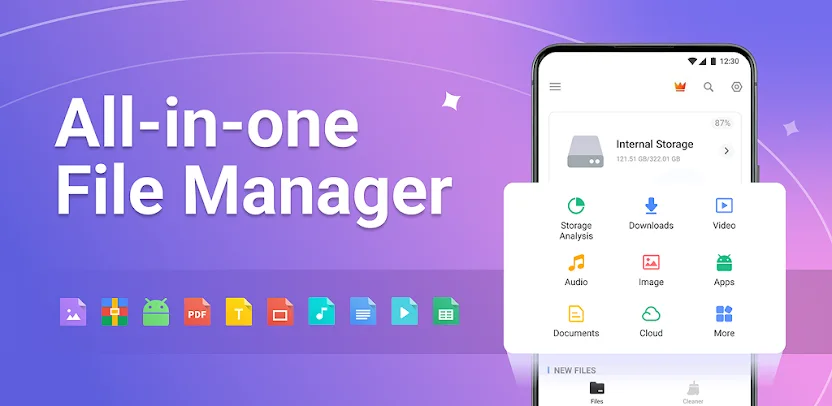
File Manager – XFolder delivers a powerful, easy‑to‑use file manager and explorer that brings desktop‑grade features to your Android device. It lets you handle every file on local storage and SD cards, locate items instantly, and compress or extract archives with just a few taps.
Managing Files All in One
You can browse folders, create new directories, multi‑select items, rename files, compress or decompress archives, copy, paste, and move data effortlessly. The app also lets you lock sensitive files inside a private folder to keep them safe from prying eyes.
Finding Files Easily
Use the built‑in search to locate buried documents, videos, music, or memes in only a few taps. No more wasting time scrolling through endless lists—XFolder surfaces the files you need quickly and accurately.
Managing All Cloud Storage In One Place
XFolder seamlessly integrates with Google Drive, OneDrive, Dropbox, and other cloud services. You can access, organize, and sync your files across multiple platforms without leaving the app, and you can manage cloud‑based files directly within the same interface.
Key Features
- ALL File Formats Supported: Handles new files, downloads, documents, videos, audios, images, apps, docs, and archives.
- Storage Access: Checks internal and external storage, including SD cards and USB OTG devices.
- FTP Support: Lets you access your Android storage from a PC via File Transfer Protocol.
- RAR Extractor: Compresses and decompresses ZIP and RAR archives efficiently.
- Recycle Bin: Restores deleted files with a single tap.
- Large‑File Viewer: Browses and removes unused, space‑hogging items.
- Duplicate‑File Remover: Scans for and deletes duplicate files to free up storage.
- App Management: Shows installed apps and lets you uninstall unused ones.
- Built‑in Tools: Includes a music player, image viewer, video player, and file extractor for a richer experience.
- Hidden‑File Option: Toggles visibility of hidden files whenever you need them.
Full‑Featured File Manager Tool
If you feel overwhelmed by the sheer number of files on your mobile device, try File Manager – XFolder. It finds and manages every file, app, document, video, and photo stored locally. You can search for unused items and delete them quickly, keeping your device tidy and responsive.
Easy‑to‑Use File Explorer Tool
XFolder combines all the essentials you expect from a file explorer with several outstanding extras, all wrapped in a clean, intuitive interface. The app helps you locate and manage what you need fast, turning file handling into a simple, streamlined task.
Images


What's New
🌟New theme
🌟Cache files cleaning
🌟Bug fixes and performance improvements