Clone App

Images


Description
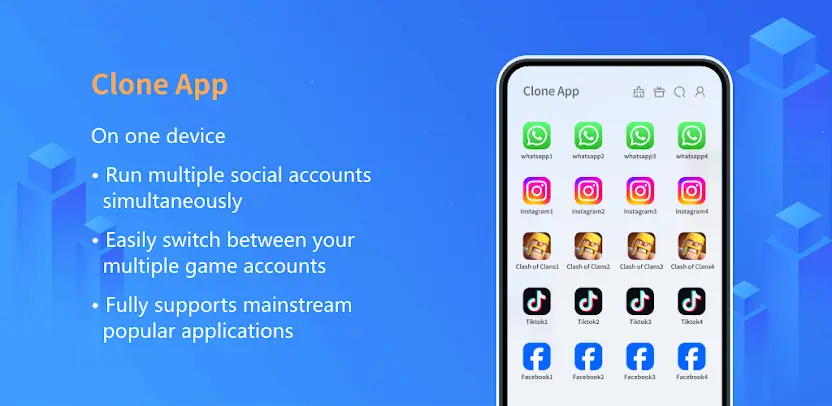
Clone App, also known as XClone App, is an app cloner and private vault for hiding apps on Android. It uses Android virtualization technology to create a parallel dual space where you can clone social and gaming apps such as WhatsApp Clone, Facebook Clone, Instagram Clone, and Messenger Clone. This makes multi-account management simple on a single device while keeping selected apps and games hidden for privacy protection.
App Cloning in a Parallel Dual Space
You manage multiple accounts for the same app without mixing your personal and work profiles. Free users get dual accounts per app, and a VIP upgrade unlocks unlimited cloning. This gives you room to separate business communication from personal messaging, or to run several game identities from one phone.
Broad Compatibility With Social Apps and Games
Clone App works with leading social platforms including WhatsApp, Facebook, Instagram, LINE, Messenger, Snapchat, and Telegram. It also supports popular games such as Free Fire, Mobile Legends: Bang Bang, Clash of Clans, and eFootball. Because cloned data stays completely separate, you get zero data crossover between your accounts.
App Lock for Unauthorized Access
You protect cloned and vault apps with password protection. Even if someone picks up your phone, they cannot open apps inside the dual space without your credentials. This adds a practical layer of security to sensitive accounts.
Private Album for Hidden Photos and Videos
Media stored in the vault disappears from your main gallery and stays accessible only inside the secure space. You move photos and videos into the Private Album when you want them out of sight, and they remain private until you open the vault yourself.
Video Downloader for MediaThe built-in downloader detects media resources while you browse and saves videos and music with one tap. Downloads go straight into the vault and never appear in your local gallery, keeping your main gallery clean while your media stays organized.
App Hiding for Private Games and Apps
You conceal private games or social apps inside the vault so they do not appear on your home screen or in the app drawer. This keeps your apps and games available to you while remaining discreet from casual onlookers.
File Transfer to New Devices
You migrate cloned apps and private albums to a new device seamlessly. This makes switching phones or upgrading hardware far less stressful, because your parallel space and hidden media transfer with you.