Cast to TV – Chromecast, Roku

Mod Info:
- Premium / Paid features unlocked;
- Disabled / Removed unwanted Permissions + Receivers + Providers + Services;
- Optimized and zipaligned graphics and cleaned resources for fast load;
- Ads Permissions / Services / Providers removed from AndroidManifest;
- Ads links removed and invokes methods nullified;
- Ads layouts visibility disabled;
- Google Play Store install package check disabled;
- Debug code removed;
- Remove default .source tags name of the corresponding java files;
- Analytics / Crashlytics / Firebase disabled;
- AOSP compatible mode;
- Languages: Full Multi Languages;
- CPUs: armeabi-v7a, arm64-v8a;
- Screen DPIs: 120dpi, 160dpi, 240dpi, 320dpi, 480dpi, 640dpi;
- Original package signature changed;
- Release by Balatan.
Images
Description
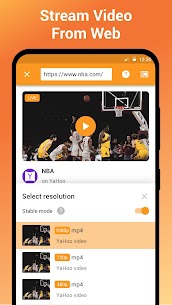
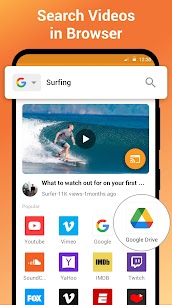
Ever wish you could beam that hilarious video or your favorite playlist from your phone straight to the living room TV without fumbling with cables? Cast to TV makes that happen instantly. It turns your Android device into a powerful remote control, letting you push local videos, music, and photos to virtually any smart display in the house. Whether you are hosting a movie night or showing off vacation snaps, this app bridges the gap between your handheld gallery and your 4K panel.
Universal Compatibility Across Your Favorite Devices
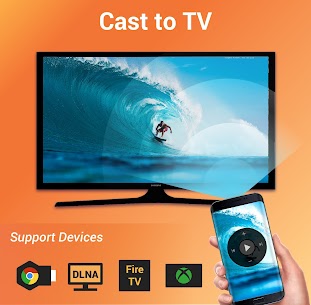
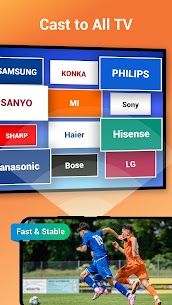
One of the biggest headaches with streaming is device fragmentation. This tool eliminates that friction by supporting a massive range of receivers. You can shoot content to a Chromecast, Amazon Fire Stick or Fire TV, Xbox One, Roku boxes and TVs, plus practically any DLNA-enabled Smart TV from brands like Samsung, LG, Sony, and Panasonic. The development team even has Kodi and Apple TV support on the roadmap, so the compatibility list keeps growing.
Smart Media Discovery and Queue Management
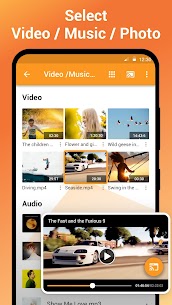
Nobody wants to dig through file managers to find a specific clip. The app automatically scans your internal storage and SD card, sorting everything into clean Video, Audio, and Photo categories. Building a playlist is as simple as tapping “Add to Queue.” You get full playback control—shuffle tracks for a party, loop a single video for the kids, or set repeat mode for a background slideshow. It essentially transforms your phone into a media server that just works.
Total Playback Control from the Couch
Once the stream starts, your phone becomes a dedicated remote. You can pause, adjust volume, skip forward or backward, and jump between playlist items without leaving your seat. The interface stays responsive even when casting high-bitrate local files, ensuring you aren’t stuck buffering when the action heats up. It supports photo slideshows with transitions too, making it perfect for reliving memories on the biggest screen in the room.
Why This Beats Proprietary Casting Buttons
Most apps limit casting to their own cloud libraries. Cast to TV focuses entirely on your files—offline downloads, personal recordings, ripped Blu-rays, and local music collections. No internet connection is required for the transfer itself, just a shared Wi-Fi network. That means zero compression artifacts from re-uploading to a cloud service and zero privacy concerns. It is the straightforward, “all cast in one” solution for anyone who keeps a local media library.
What's New
✅Bug fixes and performance improvements.
If you have any problems or suggestions, feel free to contact us at [email protected]