txtpad+
My Cat's Lab
9.78 MB
3.5.1-premium
Android 8.0+
1,000,000+

Images


Description
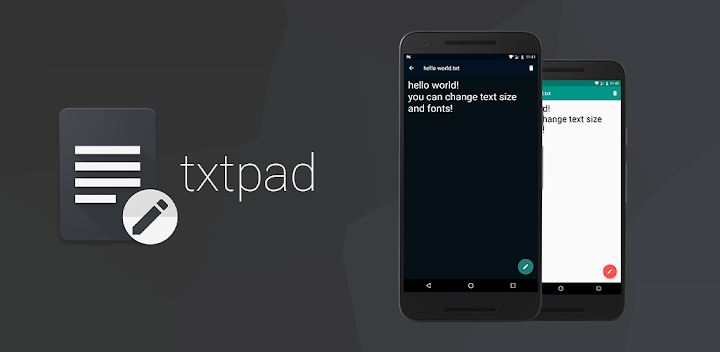
Looking for a simple, fast, and lightweight plain text editor? Meet txtpad+, the minimalist premium notepad app built specifically for creating, reading, and editing .txt files on the go. Whether you need to view system logs, edit code snippets, write quick notes, modify plain text documents, or use a reliable .txt file reader, txtpad+ serves as a professional plain text tool for your Android phone.
Why Choose txtpad+?
Unlike basic note-taking apps, txtpad+ is built specifically for standard .txt file management. You get a distraction-free, lightning-fast writing experience, and the app saves your files using standard UTF-8 encoding. That focus on plain text makes it dependable for both casual notes and technical work.
Create and Edit .txt Files
You write new plain text documents in seconds or open and modify existing ones. The editor stays out of your way, so you spend your time writing rather than fighting menus. Every file stays in the standard format you expect.
Read Any Plain Text File Cleanly
You open and read any standard .txt file with zero formatting issues. The plain text viewer renders documents exactly as written, which makes it ideal for logs, configuration files, and notes that must stay untouched by rich formatting.
Search Files and Content Instantly
You search your .txt files by file name or scan directly within text content to find exactly what you need. The advanced file search covers both titles and inner text, so nothing stays hidden. Finding a specific document or line takes only moments.
Locate Words With Find in File
You quickly locate and match specific words or phrases inside any open text document. The Find in File feature jumps straight to each match, which saves time when you’re reviewing long files. You never have to scroll endlessly to find one phrase.
Undo and Redo With Confidence
You made a mistake? You easily reverse or re-apply your changes while editing your text files. The undo and redo controls let you experiment freely without fear of losing your work. You always keep control of your edits.
Pin Important Files to the Top
You never lose track of critical notes in a long list of .txt files. Pinning keeps important files securely at the top of your list, so they stay within reach no matter how many documents you add. Organization stays effortless.
Switch to a Monospace Font
You choose a monospace font option that’s perfect for coding, scripting, reviewing technical text files, and reading system logs. Monospace text keeps columns aligned, which makes technical content easier to scan. It’s a small setting with a big impact.
Adjust Font Size to Your Comfort
You customize your reading and writing experience by scaling text size up or down. Whether you prefer larger text for comfortable reading or smaller text to fit more on screen, the choice stays yours.
Reduce Eye Strain With Light and Dark Themes
You choose between Light Mode and Dark Mode, or set the app to automatically match your system theme. Dark mode eases eye strain during long sessions, while light mode shines in bright environments. Either way, your eyes stay comfortable.
Share, Print, and Inspect Your Files
You send your text files instantly to email, messaging apps, or cloud storage through the built-in share menu. You print your .txt files directly from the menu while reading or editing. You also view word count, character count, and document size from the menu, so you always know exactly what you’re working with.
Experience a faster, lighter way to manage, read, and edit your plain text files with the professional notepad app txtpad+. Download it today and keep your text files simple, clean, and completely under control.
What's New
• Trash bin: files deleted in txtpad+ are now kept for 30 days and can be restored. You can turn this feature off.