Tap To Translate Screen
EZ Screen Translator
42.08 MB
1.125
Android 7.0+
1,000,000+

Images


Description
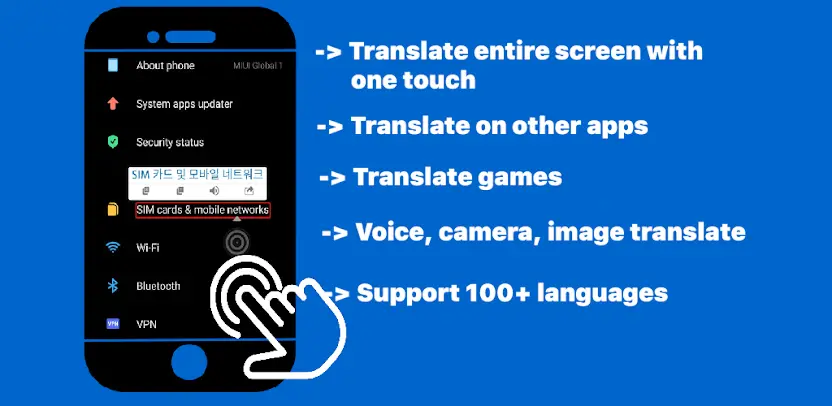
Tap Translate Screen, also called EZ Screen Translator, translates text directly on your screen. You can translate text in any application with just one tap. Whether you read comics, play games, follow conversations, browse shopping apps, order food, or scroll through social-network comments and posts, this screen translator removes language barriers instantly.
Translate Your Entire Screen Instantly
You translate everything visible on the screen with a single tap. There is no need to copy text, switch apps, or manually enter words. The app reads your current screen and converts the content into your selected language.
Support for More Than 100 Languages
Tap Translate Screen supports more than 100 languages. You can translate conversations, menus, game instructions, product descriptions, social-media posts, and other text from languages around the world. Broad language coverage makes it useful for travel, study, work, shopping, and everyday browsing.
Translate Games, Comics, and Chats
Gamers and comic readers can follow stories that were never translated into their own language. You translate in-game text, dialogue, menus, comics, manga captions, chat messages, comments, and posts without interrupting what you are doing. This keeps entertainment and conversations enjoyable instead of confusing.
Translate Shopping and Food-Ordering Apps
Foreign shopping and restaurant apps become much easier to use. You translate product names, item descriptions, prices, ingredients, dishes, delivery options, and ordering instructions. This helps you shop confidently, choose meals accurately, and avoid mistakes when ordering.
Translate Text in Any Application
The app works across other apps rather than limiting translation to one built-in browser or document viewer. You can translate on social networks, messaging apps, browsers, games, shopping platforms, and many other applications. Whatever appears on your screen becomes readable.
Scan, Speak, Photograph, and Translate
Tap Translate Screen supports multiple input methods. You can scan and translate on-screen text, use voice translation, translate through your camera, or translate text from images. These flexible options help you handle signs, printed documents, screenshots, conversations, and other real-world text.
What's New
• Add manga mode
• Fixed minor bugs and enhanced stability.