PigeonCast

Images


Description
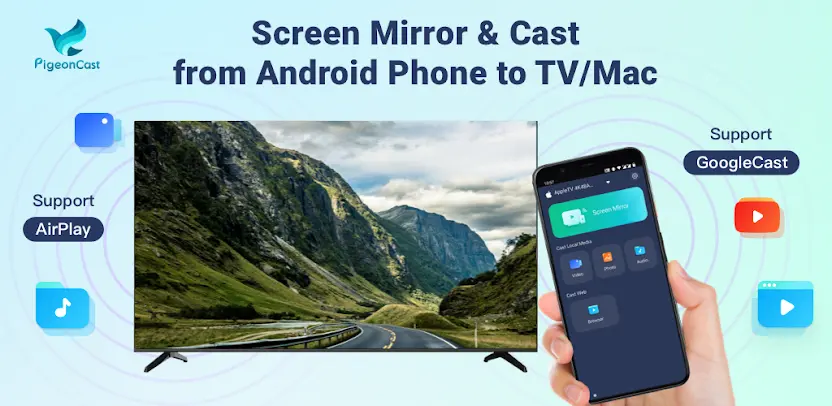
PigeonCast is a screen mirroring and cast-to-TV app for Android. You can mirror your phone to a TV, cast your screen to a Smart TV, share content wirelessly, or stream media to Apple TV, Chromecast, and Google TV from one app. Whether you want screen mirroring for movies, a wireless display for presentations, or a quick way to show your phone on a bigger screen, PigeonCast combines AirPlay, Google Cast, and cross-device casting in one simple experience.
Mirror Your Phone to TV Smoothly
Mirror your Android phone or tablet to compatible TVs and computers with low-latency performance. PigeonCast supports smooth TV mirroring with up to 2K resolution and 60fps, making it suitable for movies, gaming, meetings, online classes, and family photo sharing. You see your phone on the big screen without cables or complicated setup.
Use AirPlay From Android
PigeonCast supports AirPlay casting to Apple TV, Mac, and AirPlay-enabled Smart TVs. You can mirror your Android screen, stream videos, cast photos, and use compatible AirPlay 2 devices. This makes PigeonCast especially useful for households that use both Android and Apple devices.
Cast to Chromecast and Google TV
Instantly cast your Android screen to Chromecast, Google TV, Android TV, and televisions with Google Cast built in. Whether you search for Chromecast, TV cast, phone cast, or a way to cast your phone to TV, PigeonCast provides a direct solution. You start casting quickly and control everything from your phone.
Cast Local Photos, Videos, Music, and Documents
Send photos, videos, music, audio files, and documents to your TV using AirPlay or Google Cast. You enjoy a complete smart-TV casting experience without cables. Local media appears clearly on the large screen, making family viewing and presentations much easier.
Watch Web Videos Directly on Your TV
PigeonCast lets you play online videos from websites directly on your television. It works well for live streams, sports, educational videos, and entertainment websites. You control playback from your phone, so you do not need to sit next to the TV to pause or change content.
Transfer Files Wirelessly
Transfer photos, videos, music, files, folders, and messages to a TV or computer running PigeonCast Receiver. Wireless transfer stays fast and stable, helping you move important files without USB cables or complicated connections.
Cast Across Platforms With a Built-In Protocol
In addition to AirPlay and Google Cast, PigeonCast includes its own wireless transmission technology. This protocol supports casting between Android phones, Windows PCs, Mac computers, Android TV, LG TVs, and other supported devices through PigeonCast Receiver. Scan the QR code and start casting instantly.
Broad Device Compatibility
PigeonCast supports Apple TV, Chromecast, Google TV, Android TV, Windows PC, Mac, Chromebook, Samsung TV, LG TV, Sony TV, TCL TV, Roku, Xiaomi TV, Vizio, Hisense, and many other Smart TVs. This broad compatibility makes it practical for homes, offices, classrooms, and mixed-device environments.
A Complete Solution for Home, Work, and School
PigeonCast works for screen mirroring, TV casting, screen sharing, home entertainment, business presentations, online education, family photo sharing, wireless display use, and multi-device casting. Unlike apps that support only one protocol, it combines AirPlay, Google Cast, wireless display features, screen mirroring, TV casting, file transfer, and cross-platform transmission.
PigeonCast also works as an alternative to apps such as AirScreen, LetsView, ApowerMirror, and AirDroid Cast, while offering broader compatibility across Android, Apple, Windows, and Smart TVs. No cables or adapters are required—just fast, seamless wireless casting.
What's New
* Mirror your Android screen to Apple TV or Mac using AirPlay screen casting with support for AirPlay 2
* Cast screen from your Android phone or tablet to Chromecast, Google TV, and Android TV devices with built-in tv cast capabilities
* Cast from phone installed with PigeonCastSender to win PC, Mac & Smart TVs (such as Android TV & LG TV) which installed with our Receiver app
* File Transfer: Send Photos, Videos, Music, Files, Folders,Messages to TV/PC installed with our PigeonCastReceiver app