Device Care: System Monitor

Description
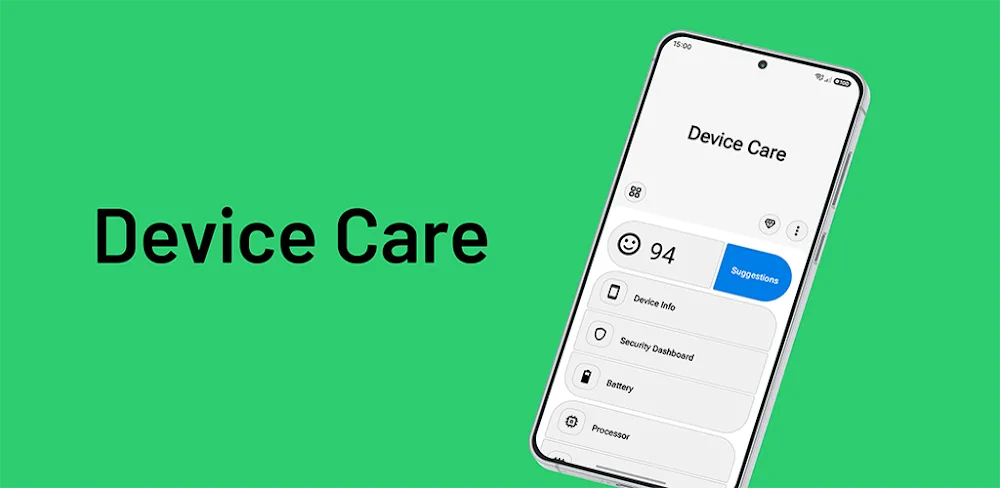
Device Care is an Android system monitor that brings important device information and useful system shortcuts together in one clear dashboard. You check the status of your phone and quickly reach the relevant Android settings whenever something needs attention. Instead of digging through the settings menu, you get a direct path to what you need.
Complete Device Information
The dashboard displays the details that matter most. You see battery level and charging status, along with battery health and power information exposed by Android. CPU usage indicators show current processor activity, RAM and memory usage reveal how much memory your apps consume, and storage usage highlights how full your storage has become. You also review Wi-Fi and connectivity information along with security app and VPN status signals.
Quick Access to Useful System Settings
You open relevant settings directly from the app for supported options. Shortcuts include Wi-Fi, Bluetooth, brightness, mobile data, location, and NFC, so you can adjust a setting in seconds instead of navigating through several menus. This works well when you notice a weak connection, a screen that appears too dim, or a connectivity issue.
Optional Condition Reminders
Optional reminders help you notice problems before they become inconvenient. You receive alerts for conditions such as low battery, high memory usage, or storage pressure. Because the reminders are optional, you stay in control of what the app notifies you about.
An Information and Monitoring Utility
Device Care functions as an information and monitoring tool. It does not replace antivirus software, professional hardware diagnostics, or Android’s own system security. Instead, it gives you a clear picture of your device’s condition and helps you reach the official settings you need for further action.
Availability Depends on Your Device
Available information depends on your device manufacturer, Android version, granted permissions, and the system data Android exposes to applications. Some details may be limited on certain devices or Android versions, so what appears in the dashboard varies across phones and tablets.
Images


What's New
12.24.0
✦ Numerous bugs and crashes have been fixed, along with several improvements for a smoother experience.
✦ Subscription and purchase restoration processes have been improved for greater reliability.
✦ We fixed plenty of bugs... and may have accidentally introduced a few new ones we haven't discovered yet. Consider them surprise features! :)