AmpereFlow

Images


Description
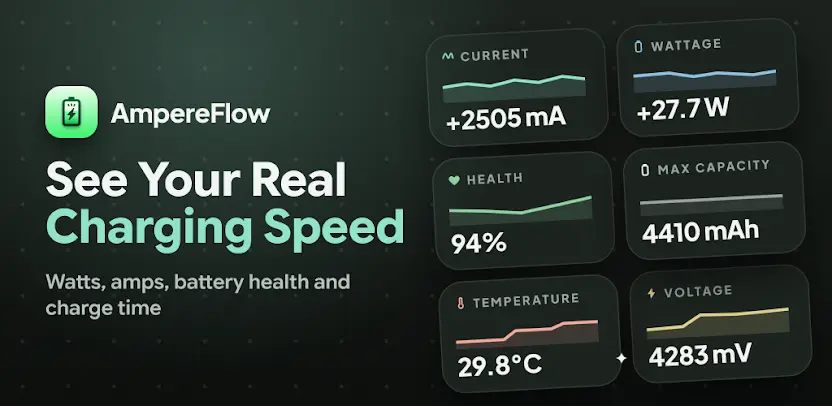
AmpereFlow is a complete battery charging monitor that shows you exactly what happens after you plug in your phone. You measure charging speed in live watts and amps, check whether fast charging is active, view estimated battery health and capacity, monitor temperature, and see how long your battery may take to reach 80% or 100%. Instead of trusting the charging icon in your status bar, you get real data about what your device is actually doing.
Compare Chargers, Cables, Power Banks, and Ports
You compare chargers, cables, power banks, and USB ports using real battery data. This lets you find the setup that charges your phone most effectively and stop guessing about which accessory performs best. AmpereFlow combines live readings, detailed graphs, charge history, widgets, alerts, and an AMOLED-friendly always-on charging display in one clean app.
View Live Charging Speed
You view real-time battery current in milliamps and estimated charging power in watts while your phone charges. The numbers update live, so you watch performance shift as conditions change instead of waiting for a final result.
Detect Fast Charging
You see whether your device reports normal charging, fast charging, or another supported charging state. When you want to confirm that your fast charger truly delivers, this detection tells you in plain terms. No more wondering whether the cable or adapter is holding you back.
Run a Charging Speed Test
You test different chargers, cables, power banks, and ports to find the setup that charges your phone most effectively. Running a dedicated test takes the guesswork out of comparing accessories, and the results help you build a faster everyday charging routine.
Check Time to 80% and 100%
You check estimated charge time so you know approximately when your phone will be ready. Whether you’re heading out the door or planning your evening, this estimate helps you time your charging around your schedule.
Monitor Battery Health and Capacity
You view estimated battery health, measured capacity, and capacity loss based on the data available from your device. Watching these numbers over time gives you a clearer sense of how your battery is aging. You make better decisions about replacements and charging habits.
Follow Battery Health Over Time
You follow your estimated health trend on a scrollable history graph instead of relying on a single reading. Trends reveal gradual changes that one snapshot can easily hide. The long view helps you understand the real direction your battery is heading.
Explore Detailed History Graphs
You tap supported statistics such as current, power, voltage, or temperature to see how they changed over time. Each graph turns raw readings into a story you can actually read. Comparing moments becomes simple and visual.
See Charging Power by Battery Level
You observe how charging power changes as the battery moves from a low percentage toward full. Many phones charge quickly at first and then taper off, and this view makes that behaviour obvious. You understand exactly how your device manages power.
Review Charge History and Session Replay
You review previous charging sessions and inspect each session’s charging curve. Replaying a session shows precisely how voltage, current, and power behaved from start to finish. It’s ideal for diagnosing odd charging events.
Gain Charging Insights
You compare recorded charging behaviour across chargers and sessions to identify faster or more consistent setups. These insights help you spot reliable hardware and avoid accessories that underperform. Good data leads to better choices.
Compare Devices
You compare supported charging statistics with data from other phones of the same model. When your results differ from similar devices, you get a useful clue about accessories, conditions, or battery condition. The comparison adds valuable context.
Track AC, USB, and Wireless Charging Separately
You track supported charging methods separately for clearer comparisons. AC, USB, and wireless charging behave differently, so keeping them apart prevents misleading conclusions. Each method gets its own honest picture.
Monitor Battery Temperature and Voltage
You monitor battery heat and voltage while charging and during normal use. Temperature often explains slow charging, and voltage reflects the health of your power delivery. Watching both helps you protect your battery.
Follow Precise Battery Percentage
You follow supported battery-level changes with decimal precision. The finer detail shows movement that whole percentages can hide. Small changes become visible and measurable.
Set Battery Level Alerts
You choose a target level and receive an alert when your battery reaches it. This helps you unplug at the right time, whether you’re preserving battery health or simply heading out the door.
Add Live Graph Widgets
You add current, power, or temperature graphs to your home screen for quick access without opening the app. Your home screen becomes a live dashboard for battery performance.
Customize the Charging Animation and Speedometer
You customize the charging meter, clock, colors, and statistics shown on screen. You shape the display around the information you care about most, so the app looks and works the way you prefer.
Use the Always-On Charging Display
You keep charging information visible on a predominantly black, AMOLED-friendly screen on supported devices. The display shows useful data while drawing minimal power, making it a practical companion on your nightstand or desk.
Designed for Clearer Battery Readings
Battery data can vary between Android devices because manufacturers may report current, charge, and voltage values using different scales or conventions. AmpereFlow applies device-aware corrections and consistency checks where supported to provide clearer charging estimates. Sensor availability and precision may vary by device.
Whether you are testing a new fast charger, diagnosing slow charging, comparing cables, or following your battery’s long-term condition, AmpereFlow puts the most useful battery information in one place. Download it today and finally see what your battery is really doing.
What's New
We’re always making changes and improvements to AmpereFlow. Keep your updates turned on to ensure you don’t miss a thing.
- Enhanced UI
- Added Widgets
- Customize metrics on AOD
- Added more speedometer styles
- Added Torch & Camera support on AOD
- Added Customizable Notification Format
- Added Battery Charging History Tab
- Added AOD timeout
- Fixed bugs