Files OS 27

Images


Description
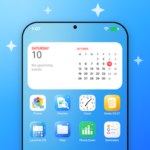
Files isn’t just another file manager — it’s a calm, beautiful way to wrangle everything on your phone, SD card, and USB drives. The interface draws inspiration from OS 27’s Liquid Glass aesthetic, giving you a polished, distraction-free space to browse, clean, and protect your data without the usual clutter.
Browse Every Corner of Your Storage
Whether you’re digging through internal memory, an external SD card, or a plugged-in USB drive, Files surfaces every folder in a single view. Recents and smart categories — Downloads, Images, Videos, Audio, Documents, Apps, Archives — let you jump straight to what you need. Switch between grid and list layouts, sort by name, type, date, or size, and toggle hidden files on the fly. Pin your go-to folders for instant access, and search by name across the entire filesystem.
File Operations That Feel Native
- Copy, move, duplicate, rename, and delete files right where they sit — no extra steps.
- Compress folders into ZIP archives or extract ZIP and 7z packages, even password-protected ones.
- Tap “Get Info” to see size, type, location, timestamps, and photo metadata.
- Open photos, videos, music, PDFs, and text files in the built-in viewer without leaving the app.
- Install APKs you’ve downloaded using the system installer, safely and quickly.
- Accidentally delete something? It hangs out in Recently Deleted for 30 days, ready to restore.
Clean Up Clutter Without Breaking a Sweep
Files hunts down junk, temporary files, empty folders, duplicates, and massive files that hog space. It spots similar or low-quality photos so you can keep the best shot, and it flags old screenshots, forgotten downloads, messenger media, and leftover APK installers. The app also lists apps you haven’t opened in 30 days and shows each one’s cache footprint. Want to shrink a huge video or photo? Compress it directly in the app. Turn on weekly clean-up reminders and low-storage alerts if you like a hands-off approach.
See Exactly What’s Eating Your Space
The Storage Analyzer breaks down every volume — audio, images, documents, videos, apps, and more — so you can visualize what’s filling each drive. You’ll also get a detailed list of every installed app with its app size, data size, and cache size laid out side by side.
Lock Down Sensitive Files in the Safe Folder
Move private files into the Safe Folder and they’re encrypted behind a passcode, pattern, or biometric unlock. Contents never appear in Recents, search results, or screenshots, giving you true peace of mind for personal documents, photos, or anything else you’d rather keep hidden.
Your Data Never Leaves Your Phone
Files requests full filesystem access solely to show, organize, and clean your local storage. Nothing gets uploaded, synced, or shared with external servers — your files stay exactly where they belong.
Why Files Stands Out
Combine a gorgeous Liquid Glass UI with deep cleaning tools, a built-in viewer, archive support, and a zero-knowledge privacy model, and you get a file manager that actually feels like part of the OS. Download Files today and experience a simpler, more beautiful way to master your phone’s storage.