Adobe Scan Premium

Description
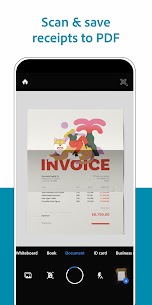
If you’ve ever wished you could snap a receipt, a whiteboard sketch or a multi‑page contract and instantly turn it into a searchable PDF, Adobe Scan does exactly that — no extra hardware, no complicated steps. It’s built for anyone who needs to capture paper on the fly and turn it into reusable digital content, whether you’re a student, a freelancer or a busy professional.
Capture with laser‑sharp precision
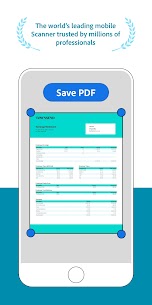
The app’s smart detection automatically finds the edges of whatever you point your camera at — be it a crumpled receipt, a business card or a whiteboard full of notes. One tap crops, straightens and enhances the image, so you get a clean scan every time without fiddling with manual adjustments.
Turn scans into editable text with OCR
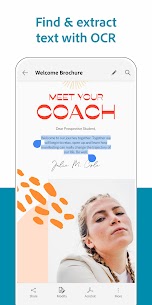
Behind the scenes Adobe Scan runs its free optical character recognition engine, converting the picture into a high‑quality PDF that you can actually work with. The recognized text lets you search, copy and paste content straight into Adobe Acrobat Reader or any other document editor, turning static paper into actionable data.
Sync, share and go beyond PDFs
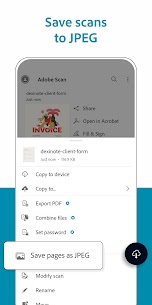
Scans save directly to Adobe Document Cloud, giving you instant access across devices and easy sharing via email or link. From there you can jump into the wider Adobe ecosystem — convert to Microsoft Office formats, fill and sign forms, or request tracked signatures — all without leaving the app.
- Scan anything, anywhere, anytime — single‑tap multi‑page PDFs
- Free built‑in OCR for reusable content
- Cloud storage for instant access and sharing
- Seamless links to edit, convert, sign and send documents
Adobe Scan removes the friction between paper and digital, turning everyday captures into powerful, editable files you can actually use. If you need a reliable, all‑in‑one scanner that does more than just take pictures, this is the app worth trying.
Images

What's New
DEFAULT FILTER CONTROL:
Now you can set your preferred filter as a default for all future scans. After scanning, go to the Filters tab and tap the gear icon to set your default filter.
MORE LANGUAGE OPTIONS:
The app user interface can now match your chosen system language if set to Indonesian (Bahasa) for seamless support.