PDF2IMG
Techno information
57.95 MB
1.20
Varies with device
1,000,000+

Images


Description
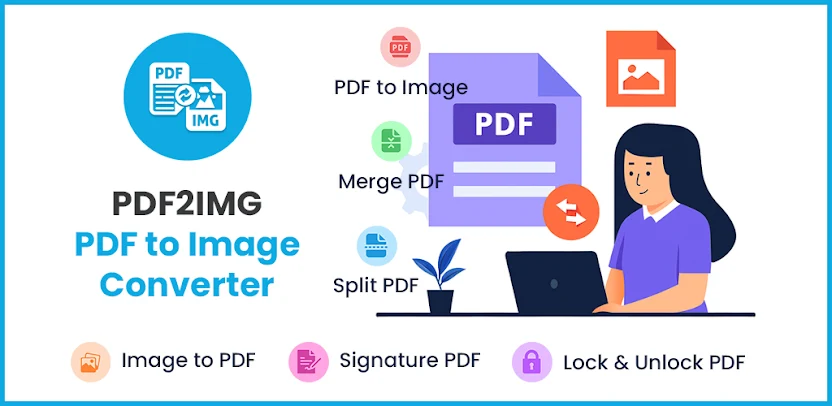
Simplify document management with PDF2IMG, a smart all-in-one PDF converter and tools app. You can convert, create, edit, scan, merge, sign, and protect PDF files and images faster than ever. Everything works securely offline, without requiring an internet connection.
Students, professionals, business owners, and freelancers can handle assignments, contracts, reports, invoices, receipts, and personal documents in one powerful app.
Convert PDF Pages Into High-Resolution Images
You can convert PDF pages into high-resolution JPG, PNG, or BMP images. Select individual pages or convert complete documents. This feature works well for sharing visuals, uploading pages to websites, or extracting images from reports and presentations.
Turn Images Into Professional PDFs
You can turn photos, scans, and screenshots into clear, professional PDFs. Combine multiple images, reorder pages, and create one compact file in seconds. This makes it easy to prepare notes, portfolios, receipts, certificates, and visual records.
Convert Documents Into PDF Format
Quickly convert Word, text, and other document formats into PDFs while preserving the original layout, fonts, and design. You can share professional-looking files that appear the same on every device.
Scan Documents With Your Phone Camera
Your phone becomes a portable scanner. Capture receipts, notes, business cards, certificates, ID proofs, and paperwork with excellent clarity. Automatic edge detection and image filters help produce clean, high-quality PDF scans.
Control PDF Size and Quality
You can optimize PDF file size without sacrificing readability. Choose high, medium, or compact compression depending on whether you need maximum quality or smaller files for email and cloud uploads. Smaller files save storage and transfer faster.
Enhance Scans With Image Filters
Apply automatic brightness, contrast, and color filters before saving a scan as a PDF. Filters improve faded receipts, uneven lighting, shadows, and low-quality photographs. Your final documents look clearer and more professional.
Fill Forms and Add Text
Write directly on PDFs with text boxes, annotations, and highlights. Fill out digital forms from your device without printing or scanning them again. This feature saves time for applications, agreements, school forms, and office paperwork.
Sign Documents Digitally
Sign contracts, invoices, consent forms, and other documents using your touchscreen. Digital signatures eliminate printing, signing, scanning, and mailing. You can complete important paperwork from anywhere.
Merge, Split, and Reorder PDF Pages
Combine multiple PDFs into one organized file. Split large documents into smaller sections. Rearrange pages with an easy drag-and-drop interface. These tools help you manage reports, assignments, manuals, and long records efficiently.
Delete Unnecessary Pages
Remove unwanted pages from large PDFs and keep only the content that matters. This helps reduce clutter, lower file size, and make documents easier to read and share.
Protect Files With Passwords
Add strong passwords to sensitive PDFs for complete privacy. Your confidential files remain secure on your device. You can also unlock your own password-protected PDFs when you need to edit, merge, or access them again.
Find Files Quickly With Favorites
Mark frequently used files and tools as favorites. Quick access eliminates time wasted searching through folders. Frequently used documents stay available whenever you need them.
Enjoy Flexible Viewing Options
Read PDFs comfortably with zoom, rotation, grid, and single-page views. Dark mode supports comfortable nighttime reading. Smooth navigation makes reviewing long files easier.
Fast, Offline, and Secure Performance
PDF2IMG converts, compresses, and edits files quickly. Because the app works offline, your documents never need to leave your device. A clean, modern interface keeps every tool easy to find, while lightweight performance supports smooth operation even on low-end devices.
Accurate conversions preserve document quality without distortion or unwanted watermarks. You can also share finished PDFs instantly through WhatsApp, Gmail, Google Drive, and other apps.
Useful for Study, Work, and Business
Students can create PDF notes, combine scanned pages, and prepare assignments. Office professionals can merge reports, sign documents, and convert files. Small business owners can scan bills, invoices, and receipts for organized records.