Offline Map Navigation

Images


Description
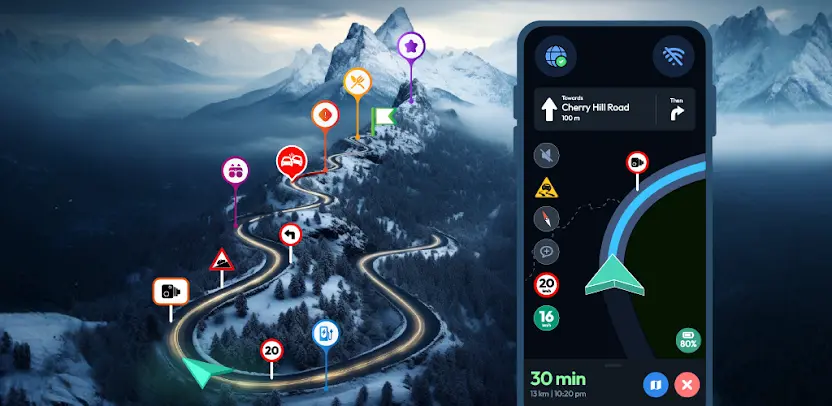
Ever get stuck with no signal in an unfamiliar area? Offline Map Navigation lets you download maps in advance and navigate anywhere with GPS, even without an internet connection. You get turn-by-turn directions, offline place search, and reliable routing for driving, biking, cycling, or walking, so a weak signal never ruins your trip.
Download Maps and Search Without Internet
You save maps to your phone and navigate without connectivity. Offline search finds places and addresses even when your data connection drops. You also look up offline points of interest, including hotels, restaurants, hospitals, ATMs, banks, EV charging stations, and shopping destinations. Downloading maps in advance also helps you avoid roaming charges while travelling abroad.
Turn-by-Turn GPS Navigation
You follow clear route instructions powered by accurate GPS positioning. Spoken voice guidance is available in multiple languages, and you receive automatic rerouting the moment you miss a turn. Alternative routes let you choose a different path whenever traffic or road conditions make the original route less convenient.
Lane Assist and Junction View for Highways
Lane guidance, also called lane assist or lane assistance, shows you which lane to be in before a turn approaches. Junction View displays upcoming junctions and interchanges more clearly, and exit guidance helps you navigate complex intersections and highway exits with greater confidence. These features reduce last-second lane changes and missed turns.
Plan Trips Faster With Multi-Stop Routes
You add multiple waypoints to build an optimized route, and the app provides a precise ETA for your journey. You search offline for nearby hotels, restaurants, and other points of interest, then share route instructions with others. Saved locations keep your favourite destinations available for quick access on future trips.
Helpful Safety Features
Over-speed alerts warn you when you exceed the posted limit where that data is available. Day and night modes keep the navigation screen readable in bright sunlight and low light. A target compass helps you navigate directly toward your destination when you want a straightforward heading.
Electric Vehicle and Weather Extras
EV routing includes charging station information for electric vehicles, so you can plan charging stops along your route. When you are online, weather updates show current conditions for your location. A playback cache helps avoid interruptions caused by temporary connectivity loss.
Android Auto, Wear OS, and In-Car Support
You use navigation on your car’s display through Android Auto and Android Automotive OS, keeping your eyes on the road for safer, hands-free driving. Turn-by-turn guidance also works on your Wear OS smartwatch, so directions appear on your wrist when you are on foot or cycling.
Why Choose Offline Map Navigation
You avoid roaming costs and navigate without signal by using downloadable offline maps. Offline search, saved places, and multi-stop routing speed up trip planning. Lane assist and junction view provide clearer guidance on highways. A simple, intuitive navigation interface keeps every feature easy to access.
What's New
* Updated SDK and data for better performance and optimized app size
* Enhanced search for faster, more accurate results
* Elevation graph now available for routes
* Now supports Phone, Tablet, Wear OS, Android Auto & Automotive devices
* Added junction view feature
* Improved lane guidance
* Fixed important bugs
* Improved UI/UX flow
* Updated app icon
***We highly recommend you to update your existing app to the latest version.