MediBang Paint

Images
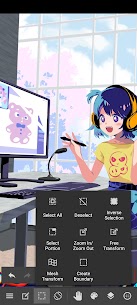
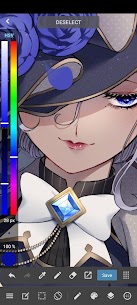
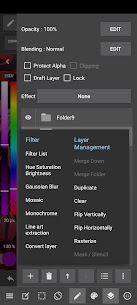
Description
Finding a digital art app that doesn’t skimp on features just because it’s free feels like striking gold. MediBang Paint manages to pack a serious creative punch onto Android, delivering a workflow that genuinely rivals desktop heavyweights without the price tag or the bloat. Whether you’re sketching on the bus or finalizing a comic page at a coffee shop, this app refuses to feel like a “lite” version of anything.
Brushes That Actually Feel Different
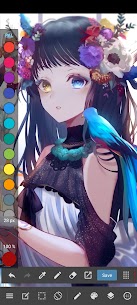
We’ve all downloaded apps boasting “100 brushes” only to find 90 variations of the same round blob. MediBang breaks that pattern. You get distinct engines here—wet Watercolors that bleed, scratchy Pencils with real tooth, crisp G-Pens for inking, and wild Multi Brushes like the Salad Brush for instant texture. The Force Fade feature is a lifesaver for finger painting, tapering your strokes automatically so lines look intentional rather than clumsy.
Comic Creation Without the Headache
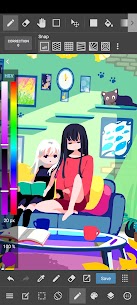
This is where the app flexes hardest. Building pages is absurdly fast: drag across the canvas to slice panels, then resize or color them instantly. You aren’t hunting for assets either; the library hands you 850 free tones, textures, and word balloons. Need a city backdrop? Drop in a pre-made background, rotate it to match your perspective, and move on. The cloud fonts give dialogue that polished, published look without you having to side-load typefaces.
Cloud Sync That Just Works
Starting a piece on your phone and finishing it on a desktop Mac or PC is seamless. Register for a free account, and your canvas travels with you. It also opens the door for collaboration—share a file link and a buddy can jump in to flat colors or lettering while you handle linework. It turns a solitary hobby into a potential team project without setting up a server.
Smart Tools for Cleaner Lines
Perspective grids snap your strokes into perfect vanishing points, killing the guesswork on backgrounds. Pen correction smooths out the jitters from drawing on glass, and the layer system is robust enough for complex stacking—keep line art separate from flats, shadows, and effects. There’s even a tracing workflow: import a photo to a bottom layer, lower the opacity, and ink over it on top. Perfect for nailing tricky machinery or architecture.
Voice-to-Text Dialogue Is a Game Changer
Lettering used to be the bottleneck. Now you tap a balloon, hit the mic, and speak your character’s lines. The speech-to-text engine drops the words in instantly. It’s surprisingly accurate and miles faster than pecking at a keyboard, especially for rapid-fire banter scenes.
A Community Built Right In
One tap uploads your finished work to the MediBang art community, where other creators actually leave feedback. It doubles as a portfolio backup and a discovery engine—scrolling the feed is a solid way to steal workflow tips or find your next favorite artist.
What's New
Fixed an issue where the canvas magnification and coordinates were changed at unintended times.