HideU: Calculator Lock MOD APK (Pro Unlocked)

Mod Info:
• Pro / Paid Features Unlocked
• Analytics & Crashlystics Patched
• Graphics & Resources Optimized
• Ads links removed and invokes methods nullified
• Install Referrer Tracking Disabled
• Advertising & Billing Activities Disabled
• Debug code removed
• Removed default .source tags name of the corresponding java files
• Removed All Unnecessary Files
• Languages: Full Multi Languages
• CPUs: Armeabi-v7a, Arm64-v8a
Description
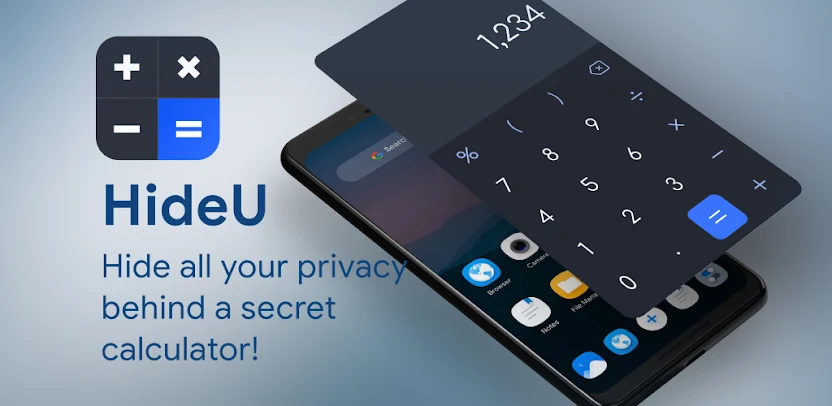
HideU is a powerful privacy protection app that allows users to hide all kinds of files—such as photos, videos, documents, and more—inside a secure, hidden space protected by a calculator password. Beyond being a simple file locker, HideU offers multiple built-in features including a note keeper, private camera, video player, and cloud backup options.
This app functions like a secret parallel space on your phone, where your sensitive or personal files can be safely stored away from prying eyes. To access these files, you must enter a personal PIN or password. Cleverly disguised as a standard calculator, HideU acts as an invisible vault for your confidential data, ensuring maximum privacy and security.
Advanced Privacy Protection
Hidden File Storage
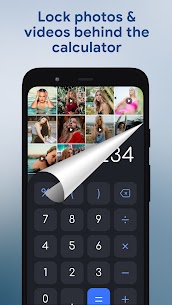
HideU ensures your private photos, videos, and other media remain invisible to anyone browsing your phone. Once files are imported into HideU, they are removed from public folders such as your main photo gallery or file manager, keeping them secure in an encrypted vault.
This makes HideU an excellent tool for keeping personal media safe from unauthorized access—whether it’s family, friends, or strangers using your device.
Built-In Media Tools
Private Video Player
HideU comes with its own video player, allowing you to watch your hidden videos directly inside the app without needing any external player. The player includes convenient features such as adjustable brightness, volume control, and one-tap mute for discreet viewing in any situation.
Photo Viewer and Editor
With the integrated photo viewer, users can easily browse through hidden pictures within the calculator interface. HideU also includes simple photo editing tools—add filters, crop images, insert text, or adjust brightness and contrast—just like your phone’s default editor, but in a far more secure environment.
Private and Anonymous Browsing
Built-In Secret Browser
For users who value online privacy, HideU provides a private browser that enables anonymous web surfing. This browser does not store history, cookies, or personal data, allowing you to explore the web securely and confidentially.
App Lock for Enhanced Security
Protect Your Other Apps
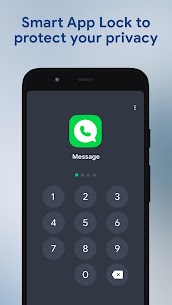
HideU can also function as an app locker. By setting a password or pattern lock, you can restrict access to specific apps on your device—such as messaging or social media apps—preventing anyone else from opening them without authorization. This feature helps prevent accidental privacy leaks and unauthorized data access.
Safe Cloud Backup
Secure Cloud Storage
HideU offers an optional cloud service that allows you to back up all your personal data securely. This ensures that even if you lose or replace your device, your hidden files remain safe and easily recoverable. Your privacy is protected at every level through encrypted cloud technology.
Smart Disguise and Stealth Mode
Calculator Icon
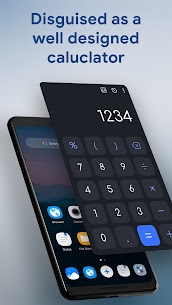
The HideU app is cleverly disguised as an ordinary calculator, making it nearly impossible for others to detect. It can even perform real calculations like a normal calculator. To unlock your private vault, simply enter your secret password within the calculator interface—only you will know how to access the hidden space.
Frequently Asked Questions (FAQ)
Q: How do I open HideU?
A: Simply type your secret password into the calculator interface and press the “=” button. This will instantly unlock your private storage area.
Q: What if I forget my password?
A: If you can’t remember your password, enter 11223344= on the calculator screen. You’ll then be prompted to verify your security question and reset your password safely.
Conclusion
HideU is more than just a file-hiding app—it’s a complete privacy management tool for your phone. Whether you need to hide personal photos, secure private videos, browse the internet anonymously, or lock sensitive apps, HideU provides everything in one secure, disguised interface. With its cloud backup and advanced protection features, you can enjoy peace of mind knowing your private life remains truly private.
What's new
Images