File Manager – File Browser APK (VIP Unlocked)

Description
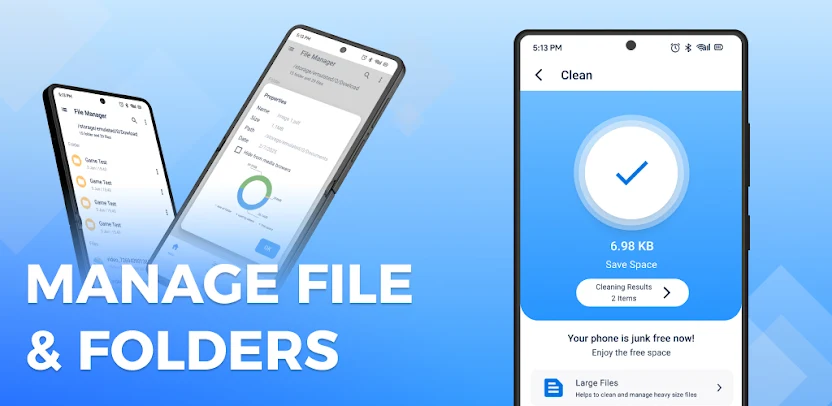
File Manager – File Browser is a comprehensive file management utility designed to give Android users total control over their device’s internal and external storage. Acting as a bridge between mobile simplicity and desktop-level functionality, this application allows you to navigate your folders, manage documents, and organize media with the same precision you would expect from a PC or laptop. Whether you are a casual user looking to tidy up photos or a power user needing deep system access, this app serves as an all-in-one command center for your digital life.
Desktop-Level File Operations
The core strength of File Manager lies in its ability to replicate a professional desktop experience. You can execute essential tasks like Multiple Select, Cut, Copy, and Paste with ease. The app also empowers you to create new folders, delete junk, and rename documents instantly. For those who prioritize privacy and organization, the software includes built-in tools to hide sensitive files, create shortcuts for frequent folders, and bookmark your most important directories for lightning-fast access.
Advanced Application Management
Beyond simple documents, this tool functions as a robust Application Manager. It categorizes your installed software, allowing you to backup vital data, uninstall bloated apps in bulk, or share Play Store links with friends. The integrated navigation drawer ensures that you can jump between your app list, device history, and system bookmarks without losing your place, making it much more than a basic file viewer.
Seamless Connectivity and Sharing
Connectivity is a standout feature, as the app supports SMB (Windows) file sharing and includes a built-in FTP Server. This means you can wirelessly download files and folders from your phone directly to your computer. Additionally, the app handles file compression and decompression flawlessly, supporting various formats to save space or bundle multiple documents for sharing via email or social media.
Modern Design and Customization
User experience takes center stage with an Attractive Material Design UI. The interface is light, smooth, and incredibly clean, offering both list and grid views to suit your visual preference. You can personalize your workspace with multiple themes and high-quality commercial icon sets that cover over 80 different file types. For the tech-savvy, the Root Explorer functionality provides deep access to system files, while the multi-tab support ensures you can multitask across different folders simultaneously.
Images