Edge VPN

Images


Description
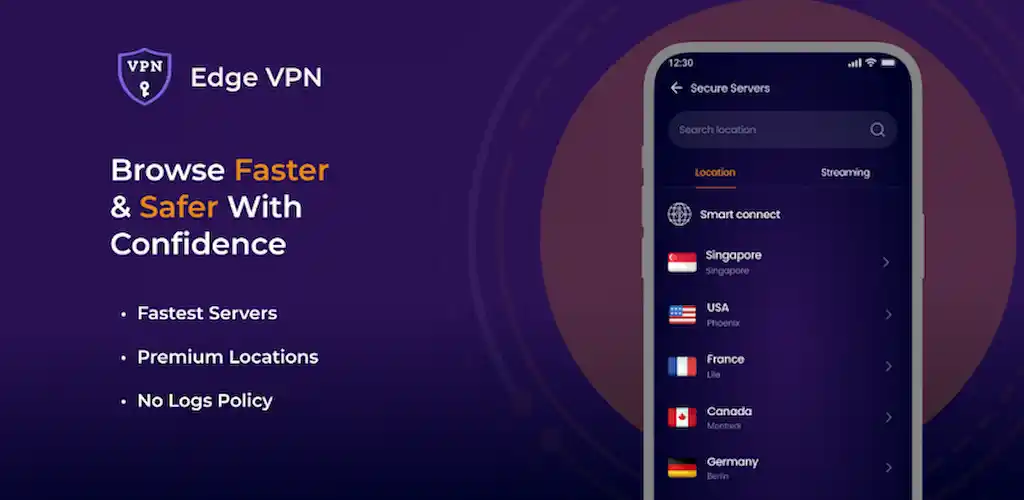
Experience fast, reliable, and private browsing with Edge VPN. This VPN app protects your online connection and helps you enjoy smooth performance wherever you go. Whether you browse, stream, download, or connect from public Wi-Fi, Edge VPN keeps your experience secure and seamless.
Fast and Stable Connections
Edge VPN uses optimized servers to support smooth browsing, streaming, and downloads. You connect quickly and stay connected without unnecessary interruptions. Strong performance ensures that privacy does not come at the cost of speed.
Connect Through a Global Server Network
Choose from servers in various locations worldwide. You connect securely from whichever location fits your needs, whether you want a nearby server for better speed or another region for your online activities. A broad server network gives you more flexibility.
Strong Security and Privacy Protection
Advanced encryption helps keep your personal data safe from interception. Edge VPN protects sensitive information while you browse, especially on public networks. You can also use one account across all your Android devices, making protection available wherever you log in.
No Activity Logs
Edge VPN respects your privacy and states that it does not track your online activities. You browse confidently without worrying that your app usage is being recorded. Privacy remains central to how the app presents its service.
Unlimited Bandwidth
Enjoy uninterrupted access without worrying about data limits. You can browse, stream, and download freely without cutting sessions short. Unlimited bandwidth makes Edge VPN suitable for everyday use.
Public Wi-Fi Protection
Public networks at cafés, airports, hotels, and stations can expose your personal data. Edge VPN secures your connection on these networks, helping protect passwords, accounts, messages, and other sensitive information. You connect to shared Wi-Fi with greater confidence.
Simple and Easy to Use
Connect instantly through a user-friendly interface. You open the app, select a preferred server, and tap connect. The process takes only seconds, even if you have never used a VPN before.
Why Edge VPN Uses Foreground Services
Edge VPN uses a foreground service to maintain reliable protection. This service helps ensure an uninterrupted VPN connection while the app runs in the background. It also supports real-time encryption for continuous security and displays a transparent active-connection status so you always know when protection is running.
Get Started in Three Simple Steps
First, download and install Edge VPN from the Play Store. Next, open the app and select a preferred server. Finally, tap connect to enjoy a secure and private connection instantly.
What's New
🚀 Faster & more stable VPN connections
🔧 Bug fixes and performance improvements
🔒 Better reliability for daily use
⚡ Improved speed & stability