APK Installer & Converter

Images


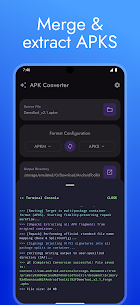

Description
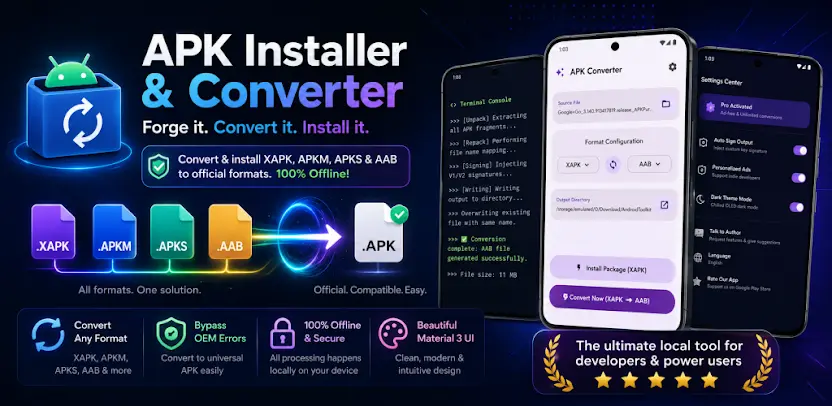
Tired of “App not installed” errors and confused by .xapk, .apkm, .apks, and .aab files? APK Converter is a local tool that converts, repacks, and installs Android package formats without the usual compatibility headaches. Instead of struggling with fragmented formats, you process complex bundles into officially recognized Android formats including .apk, .apks, and .aab.
Convert Any Package Format Into Standard Formats
You convert and repack scattered formats into standard, universally recognized files. The app accepts a wide range of inputs, including .apk, .aab, .xapk, .apks, .apkm, and .apk.1 files. Then you export your results as a single or universal .apk file, a split .apks package, or an .aab bundle. This removes compatibility guesswork from everyday app management.
A Practical Tip for Customized Android Systems
Many heavily customized Android systems, including Samsung One UI, Xiaomi HyperOS and MIUI, OPPO ColorOS, and Vivo OriginOS, struggle to install split packages. You can convert any .xapk, .apkm, or .apks file into a single compatible .apk file using this tool, which helps installations succeed smoothly on these devices.
Install Apps and Deploy OBB Files Automatically
You install app packages directly from local storage with one click. The app acts as an XAPK installer, split APK installer, and OBB deployer for .apk, .xapk, .apks, and .apkm files. When a game package includes OBB expansion files, the app extracts and deploys them to the correct system directory at /Android/obb/ without manual file transfers. You grant a one-time permission and the deployment completes on its own.
The tool works on stock Android and customized devices alike. For heavily customized ROMs, converting to a single .apk first gives you the best experience. AAB files are intended for developer publishing and cannot be installed directly, so you convert them into .apk or .apks first.
Completely Offline and Privacy-Focused
Your files stay yours. All parsing, merging, OBB extraction, and converting processes run locally on your device, and the app never uploads your APKs or personal data to remote servers. You get a fast, secure, and private tool that works without an internet connection.
Clean Material 3 Interface
You work through a clean, intuitive interface built on current Android Material You design guidelines. Menus stay uncluttered so you focus on converting and installing packages quickly.
What's New
Fixed known bugs.