Material Pixel Launcher Lock

Description
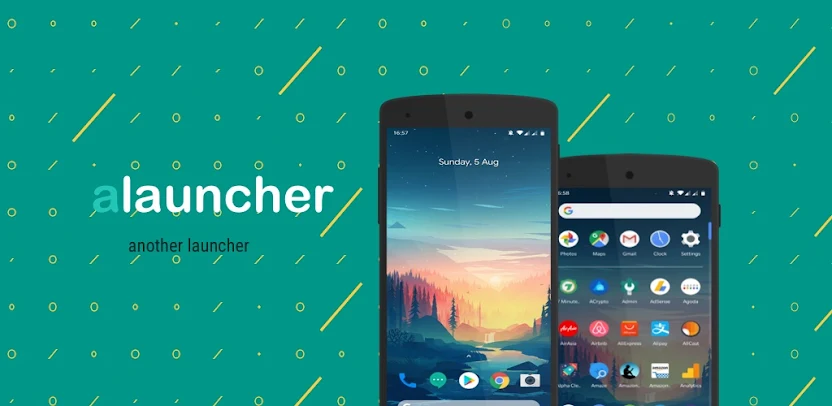
ALauncher gives you a customizable, lightweight, and efficient home launcher designed to make your Android device faster, easier to use, and better organized. Whether you use a phone, phablet, or tablet, ALauncher delivers a sleek interface with extensive customization to match your style and daily needs. You get a feature-rich, seamless user experience with Google Pixel-style design, dynamic shortcuts, gesture controls, and more.
Customizable App Shortcuts
ALauncher supports static shortcuts on Android 6.0 and later, plus dynamic shortcuts on supported devices. You edit, uninstall, or view app information directly from the home screen without opening settings. Launching apps and managing them stays fast and convenient.
Advanced Search Interface
A bottom search bar brings app suggestions, voice search, and Google Assistant integration together in one place. You fully customize this search experience to match the feel of Google Pixel’s Pixel Launcher. Finding apps and information becomes quicker with a search bar that works the way you want.
Now Feed and At a Glance
You stay updated on Google Calendar events, weather, and commute information through the Google Now Feed. A companion app handles the initial setup, and your key information then appears at a glance without opening multiple apps.
Notification Dots
Notification dots appear directly on app icons so you can see unread messages and updates at a glance. On supported devices, you know what needs your attention before you even open the app.
Dynamic Theme Options
You switch between light, dark, and automatic themes based on your wallpaper. You also customize the Hotseat background, grid size, and icon sizes. This gives you control over the look of your home screen without complicated setup.
Gesture and Action Controls
Swipe down with one finger to open notifications, or use two fingers for quick settings. You can also customize the home button for quick actions like app search or Google Assistant. Gestures give you faster access to the features you use most.
App Lock and Hidden Space
You secure apps with a device lock, or hide them from view entirely. Both options protect your privacy and keep sensitive apps out of sight. Hidden apps stay accessible later by searching for “Hidden” or scrolling to the bottom of the app drawer.
Icon Customization
You customize each app icon individually, or you apply a third-party icon pack to match your personal style. Your home screen becomes consistent rather than a mix of unrelated icons.
Full Home Screen Customization
You change the grid layout, enable home screen rotation, lock your desktop, and disable spring animations. These options let you build a launcher that behaves exactly how you want it to.
Right-to-Left Language Support
ALauncher fully supports RTL languages such as Arabic and Hebrew. The interface lays out correctly for right-to-left scripts, so the experience stays seamless for all users.
Small, Efficient, and Accessible
At roughly 1.5MB, ALauncher is one of the smallest launchers available on the Play Store, which keeps your device fast and responsive. It is also one of the few launchers built with accessibility support for disabled users in mind.
Privacy-Focused by Design
ALauncher requests no unnecessary permissions and keeps your data secure. The app uses Device Administrator permission only for the optional app lock feature, so you decide whether to enable it.
Images


What's New
* Android 16 ready
* Minor fixes and improvements