USB Camera Pro APK (Patched)

Description
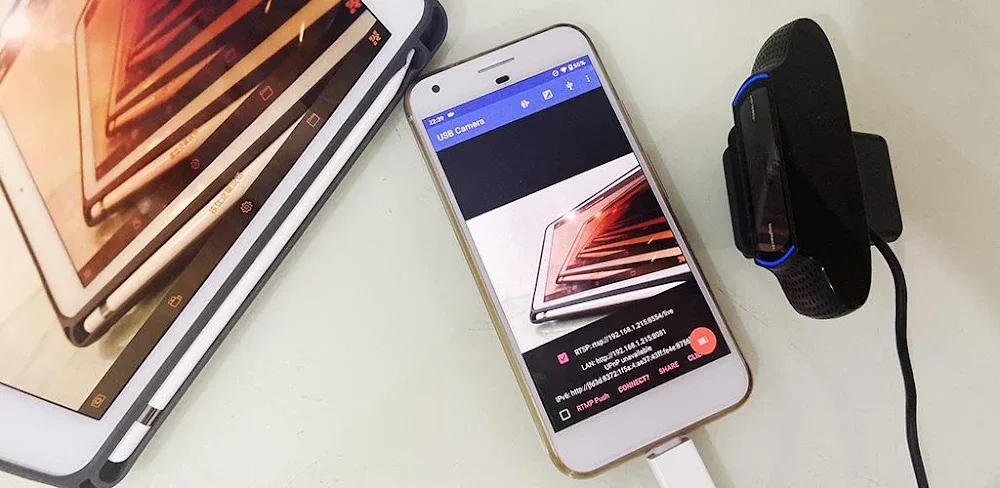
USB Camera Pro is a versatile and powerful Android application designed to transform your smartphone or tablet into a high-performance video hub. By utilizing a USB-OTG (On-The-Go) connection, this app allows you to interface your Android device with professional-grade hardware, including USB webcams, HDMI video capture cards, and specialized endoscopes. Whether you need to turn your phone into a portable security monitor, a live-streaming station, or a professional dashcam, USB Camera Pro provides the drivers and tools necessary to handle high-definition video and audio input with clinical precision.
Universal Connectivity: Wide-Ranging Device Support
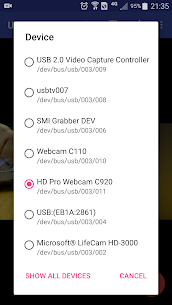
The app features a built-in userspace driver that supports a massive array of hardware without requiring root access. It seamlessly handles UVC (USB Video Class) WebCams and video grabbers with resolutions up to 4K via HDMI. It supports a variety of modern codecs and formats, including H.264, H.265 (HEVC), and MJPG. Beyond standard webcams, it is compatible with:
- Specialized Hardware: Windows Hello/IR cameras and non-UVC devices like USB endoscopes.
- EasyCap Chipsets: Comprehensive support for UTV007, STK1160, and SMI2021 chipsets, which are often used for digitizing analog signals.
- Modern Codecs: Full support for AV1 streaming on Android 10+ and HEVC recording for crystal-clear quality at lower bitrates.
Advanced Streaming: Turning Your Device into an IP Camera
One of the most powerful features of USB Camera Pro is its ability to turn your phone into a Wireless IP Camera. By utilizing the built-in RTSP and HTTP servers, you can view your external camera’s feed from any web browser or dedicated security app on your network. The system supports bi-directional audio, allowing for two-way communication when used with the “IP Camera” app. This makes it an ideal solution for DIY home security, baby monitoring, or remote site observation.
Professional Broadcasting: Live Streaming and Mixing
For content creators and broadcasters, the app serves as a mobile production studio. You can push high-quality video and audio to RTMP or SRT live media servers, making it compatible with major platforms like YouTube Live and Twitch. The app allows for complex audio/video mixing, enabling you to overlay your phone’s built-in camera or screen onto the external feed in Picture-in-Picture (PiP) mode. You can also mix external USB audio with your phone’s microphone to ensure your commentary is perfectly balanced with your source footage.
Specialized Modes: FPV, DashCam, and Motion Detection
USB Camera Pro is tailored for niche enthusiasts and safety-conscious users alike:
- FPV and VR View: The app supports Side-by-Side (SBS) view, making it fully compatible with FPV goggles for drone racing or immersive viewing.
- Intelligent DashCam: With loop-recording and auto-segmentation, the app can function as a high-end dashboard camera. It can even overlay GPS coordinates, speed, and timestamps directly onto the video frames.
- Security Automation: The app supports Motion Detection, which can automatically trigger video recording, upload the footage to an FTP server, and notify you via email when movement is sensed.
Reliable Performance: Background Operations and Stability
Unlike standard camera apps, USB Camera Pro is built for continuous, reliable operation. It features a seamless background mode, allowing you to continue recording or streaming even while you switch to other apps or lock your screen. The app ensures that your professional workflow is never interrupted. To get the best results, users should use high-quality OTG cables and, for high-bandwidth devices like the Elgato Cam Link, use a powered USB hub to ensure signal stability and sufficient power delivery.
What's new
* Easier to set Video Overlay options
* Can disable camera overlay when entering background
* Now you can overlay the screen and internal camera video onto USB video at the same time
* Supports mix the system audio output with USB audio or Built-in microphone
* Some UVC devices may containing multiple cameras now can be accessed correctly, e.g. Windows Hello Camera and IR Camera
* Supports 'Geek szitman supercamera' (ID 2ce3:3828) devices, which are commonly used in USB endoscopes
Video
Images