OTT Player MOD APK (Premium)

Description
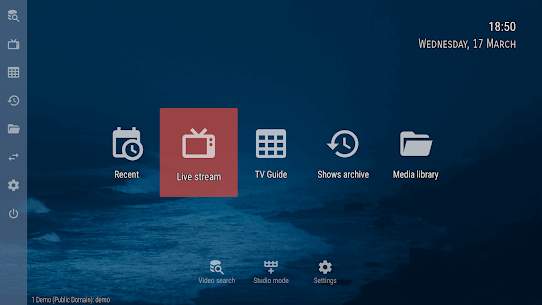
OTT Player is a versatile, high-performance media application designed to centralize your digital entertainment into a single, user-friendly interface. Specifically built for IPTV (Internet Protocol Television), it allows users to stream live TV channels, video-on-demand (VOD), and radio broadcasts directly over the internet. Unlike traditional streaming services like Netflix, OTT Player does not provide content itself; instead, it serves as a powerful “shell” or instrument where you can upload your own playlists from your Internet Service Provider (ISP) or other sources. By supporting multiple protocols and devices, it provides a unified viewing experience across your smartphone, tablet, computer, and Smart TV.
Centralized Control: The ottplayer.tv Advantage
The standout feature of OTT Player is its Centralized Management System via the official website. Instead of manually configuring every device you own, you simply register an account on the OttPlayer website and upload your M3U or M3U8 playlists there. Once your devices are linked to your account, they automatically sync your channel lists, favorites, and settings. This “cloud-based” approach ensures that whether you are on your phone during a commute or on your couch at home, your curated TV experience is always identical and up to date.
Robust Versatility: Multi-Format Support
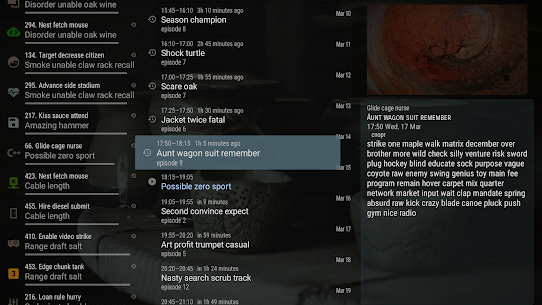
OTT Player is engineered to handle almost any streaming challenge. It supports a wide range of modern protocols, including HLS, RTSP, RTMP, and TS via UDP, ensuring compatibility with nearly all IPTV providers. Beyond just live streams, the app features Timeshift support, allowing you to pause, rewind, or watch archives of live broadcasts if your provider allows it. The application also automatically groups your channels into categories and retrieves data from multiple EPG (Electronic Program Guide) sources, so you always know what is playing next.
Setup Made Easy: How to Get Started
Getting your entertainment system up and running with OTT Player is a straightforward, four-step process:
- Register: Create a free account at https://ottplayer.tv.
- Upload: Download your M3U8 playlist from your ISP and upload it to your account on the website.
- Connect: Install the app on your device (Android, iOS, Windows, or Smart TV) and log in with your credentials.
- Sync: Select the playlist you uploaded, and the app will instantly populate your channel list.
Designed for the User: Ads-Free and Customizable
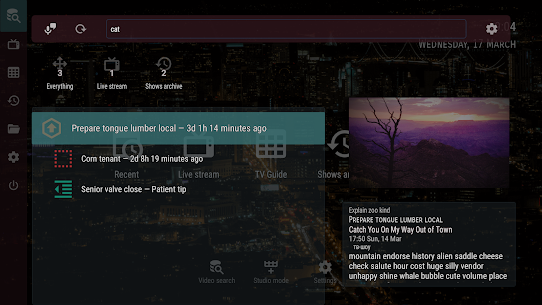
One of the most appreciated aspects of the official OTT Player app is that it is completely ad-free, providing a clean and professional viewing environment. The interface is highly customizable, allowing you to manage channel icons, create “Favorites” lists, and search through thousands of streams in seconds. For families, the app includes Parental Controls to restrict certain categories, while power users can take advantage of Picture-in-Picture (PiP) mode to multitask on their tablets or computers without missing a second of the action.
Global Compatibility: Watch Anywhere
Whether you are using an Amazon Firestick, an LG WebOS TV, a Samsung Tizen screen, or a standard Android TV box, OTT Player is likely compatible. It bridges the gap between different operating systems, offering native apps for the most popular hardware on the market. With its ability to save playback progress and resume from the previous moment, it provides a seamless “Netflix-style” experience for your own private media library and live TV streams.
Images