Google Photos MOD APK (ReVanced)
Google LLC
7.39.0.787784983
Varies with device
10,000,000,000+

ReVanced Patched:
– Enable DCIM folders backup control
– GmsCore support
– Spoof featutes.
Description

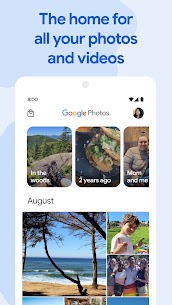
The official Google Photos app is built for the way people capture and interact with photos today. It offers a seamless experience by combining smart features like shared albums, automated creations, and a powerful editing toolkit, all while ensuring your memories are safely stored and easily accessible. Whether you’re an avid photographer or someone who simply wants to save and organize precious moments, Google Photos is designed to support your needs effortlessly.
Generous Cloud Storage for Your Memories
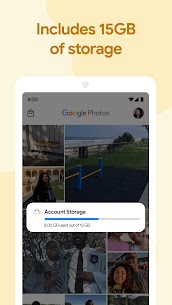
Every Google Account includes 15 GB of free cloud storage that can be used to back up your photos and videos. You can choose between High quality (now called “Storage saver”) or Original quality for your backups. Once uploaded, your media becomes securely stored and accessible from any device—phone, tablet, or computer—via the app or on photos.google.com.
Note: Any high-quality photos or videos backed up before June 1, 2021, do not count against your Google storage quota.
Free Up Space on Your Device Instantly
Running out of phone storage can be frustrating, but Google Photos makes it easy to free up space. Once your photos and videos are safely backed up to the cloud, the app allows you to remove local copies with a single tap, giving you more room for new memories without losing anything.
No Ads, No Data Selling—Your Privacy Comes First
Unlike many other services, Google Photos is committed to user privacy. The platform does not show ads, sell your personal information, or use your content for advertising purposes. Your memories are stored privately, and only you have control over how and with whom they’re shared.
Smart and Fast Search Capabilities
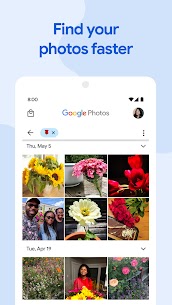
Thanks to machine learning and Google’s advanced AI technology, your entire photo library becomes easily searchable. You can find photos by location, people, objects, or even activities, all without having to manually tag anything. Want to find a beach trip from 2019 or your dog’s birthday photo? Just type it in.
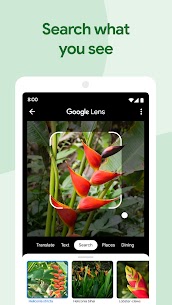
Do More with Google Lens
Google Lens is integrated directly into the app, allowing you to do much more than just view your pictures. You can:
- Translate text in photos
- Copy and paste text directly
- Identify animals, plants, and landmarks
- Scan documents
- Find products online
- Create calendar events from photos of flyers or invitations
Edit Like a Pro with Advanced Tools
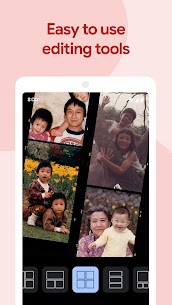
The built-in editing suite lets you transform ordinary photos into stunning visuals. Use intuitive controls to:
- Apply AI-powered filters
- Adjust brightness, contrast, warmth, and saturation
- Crop and straighten images
- Fine-tune lighting and sharpness
Whether you’re a casual user or a photo enthusiast, the editing tools are designed to be both powerful and easy to use.
Automatically Curated Creations
Google Photos goes beyond storage by offering automatic creations. The app can turn your media into:
- Movies
- Animations
- Collages
- Panoramas
You can either let the app create these automatically or make them manually with a few taps. It’s a great way to relive moments in creative formats.
Effortless and Smart Photo Sharing
Sharing photos with friends and family is made easier through smart sharing suggestions. Google Photos can recognize people in your photos and suggest who you might want to share them with. It also allows recipients to contribute their own photos, creating a complete collection of shared memories.
Live Albums That Update Automatically
With Live Albums, you can choose specific people or pets, and the app will automatically add new photos of them as you take them. No need for constant updates—your album stays current with zero effort.
*Live Albums may not be available in all countries or languages.
Create Beautiful Photo Books
Turn your best photos into printed photo books in just a few minutes. The app offers suggestions based on trips, special events, or frequently photographed people, so you can preserve your most cherished moments in a tangible format.
*Photo book printing services are only available in select regions.
Share Moments Instantly
Google Photos makes it incredibly easy to share photos in seconds. Send pictures directly to contacts, emails, or phone numbers—no need for file transfers or third-party apps.
Shared Libraries for Trusted Access
Want to give a partner or family member access to your entire library? With Shared Libraries, you can grant someone access to specific photos (like of your kids) or your full collection. It’s perfect for couples, families, or collaborators who want to stay synced.
What's new
We are introducing a new storage management tool to help you easily manage the photos that count toward your storage quota. This tool will surface photos or videos you might want to delete — like blurry photos, screenshots and large videos.
Images