Flow Equalizer MOD APK (Pro)

Description
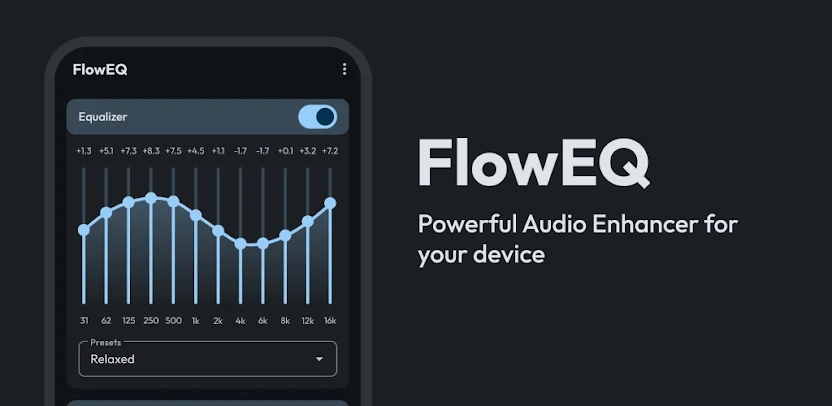
Flow Equalizer is a comprehensive sound optimization suite designed to redefine the audio output of your Android device. It combines a professional-grade Equalizer, a powerful Bass Booster, and a high-fidelity Volume Booster into one streamlined application. Whether you are an audiophile seeking precision tuning for high-end headphones or a casual listener wanting to hear a podcast more clearly in a noisy environment, Flow Equalizer acts as a digital signal processor. It adapts to your specific hardware—be it Bluetooth speakers, wired headsets, or internal phone speakers—to deliver a richer, more immersive acoustic experience across all your music, videos, and games.
Precision Tuning: The 12-Band Equalizer
Flow Equalizer offers a sophisticated 12-Band Equalizer (ranging from 5 to 12 bands depending on your device) that gives you granular control over your audio spectrum. You can manually adjust the bass, mids, and treble to bring out hidden details in your favorite tracks. If you prefer a quick setup, the app includes a library of genre-specific presets—including Classical, EDM, Heavy Metal, Jazz, and Pop. Once you find your perfect balance, you can save it as a custom profile to ensure your music always sounds exactly how you want it.
Dynamic Power: Bass and Volume Boosting
Experience deeper, more resonant low-end impact with the dedicated Bass Booster, specifically engineered to enhance genres like Hip Hop and Electronic music. To complement this, the Volume Booster (Sound Amplifier) safely increases the loudness of your device, making it a perfect companion for outdoor listening. Unlike standard boosters that often ruin audio quality, Flow Equalizer features an Advanced Limiter. This anti-distortion technology manages Attack, Release, and Threshold settings to prevent clipping, ensuring your audio remains crisp and clear even at maximum volumes.
Immersive Atmosphere: 3D Virtualizer
Transform standard stereo sound into a cinematic experience using the 3D Virtualizer. This feature creates a wider, more spatial soundstage, simulating a surround-sound environment through your headphones. By manipulating how audio waves reach your ears, the Virtualizer adds a sense of depth and “air” to your music and movies, making you feel as though you are sitting in the middle of a live concert or a professional theater.
Smart Automation: Independent Controls and Auto-Apply
Flow Equalizer respects your workflow with Independent Controls, allowing you to toggle the Equalizer, Bass Boost, or Virtualizer on and off separately. You can boost the volume without touching the EQ, or add bass without changing the volume. For a truly seamless experience, the Auto-Apply feature automatically activates your favorite sound profile the moment you connect your headphones or Bluetooth speakers. This eliminates the need for manual adjustments every time you switch devices.
Modern Design and Data Security
Built with a sleek Material Design UI, the app provides a modern, intuitive interface that is easy to navigate even for beginners. To protect your hard work, the app includes a Backup & Restore function, allowing you to save your meticulously crafted sound profiles to the cloud and restore them whenever you switch phones. Flow Equalizer is not just a tool; it is a permanent upgrade to your device’s multimedia capabilities, ensuring your audio is always tuned to your unique taste.
What's new
We’re always making changes and improvements to Flow Equalizer: Equalizer & Bass Booster. Keep your updates turned on to ensure you don’t miss a thing.
- Fixed backup/restore not working
- Added shortcut widgets
- Added automation apps support
- Added Adanced Limiter
- Fix UI lags
- Added backup and restore
- Always connect to Global Mix now works properly
- Added bass boost frequency selection
- Fixed bugs
- Performance Improvements
Images