Auto Cursor MOD APK (Pro Unlocked)

Description
With Auto Cursor, you can bring control to your fingertips—literally. No more stretching or awkward hand movements. Here’s how:
-
✅ Reach any part of the screen using a movable cursor
-
✅ Perform taps, long presses, and drag actions effortlessly
-
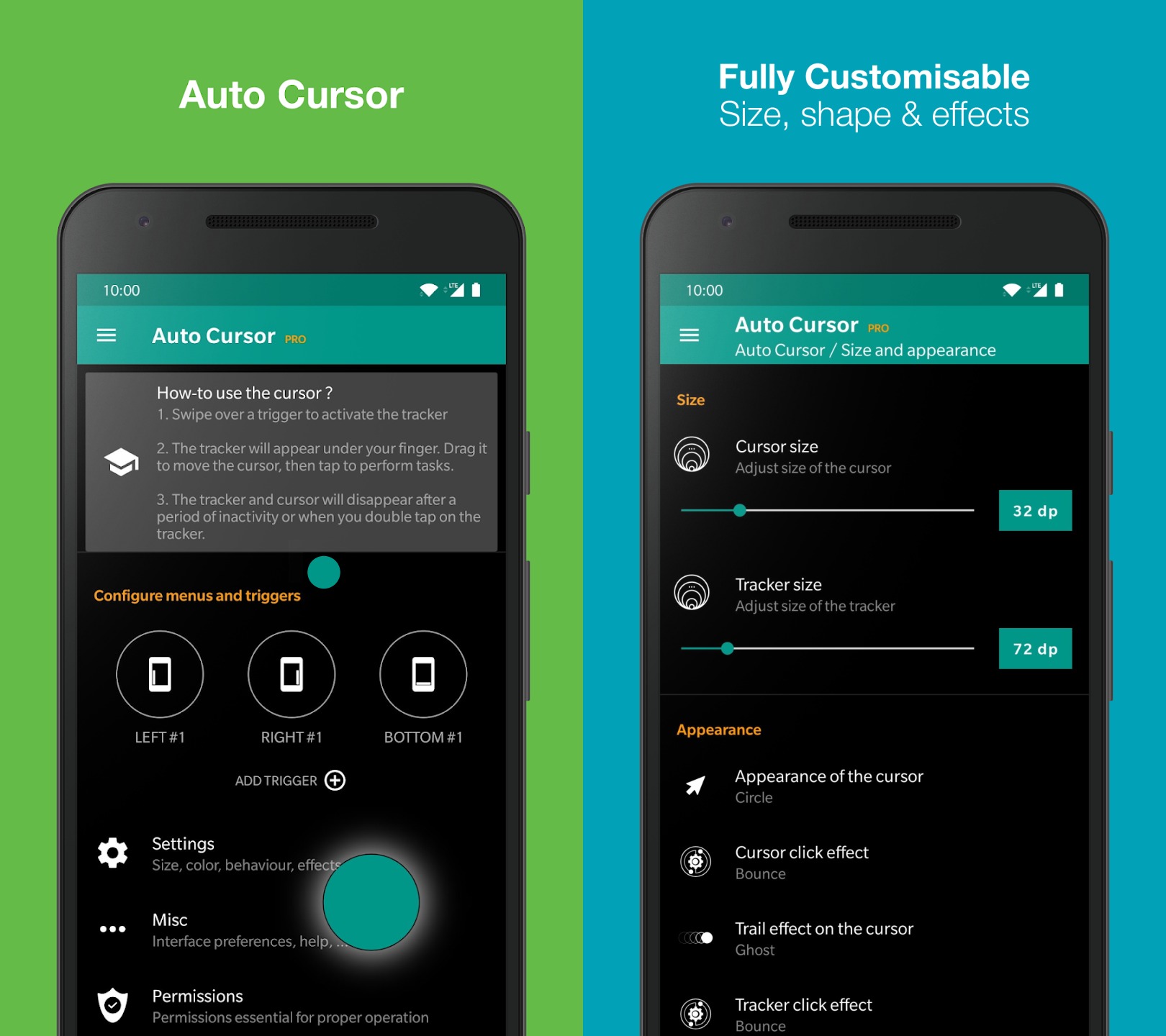
✅ Customize up to 3 gesture triggers (Left, Right, Bottom edges) with different actions for tap and long press
-
✅ Personalize cursor behavior: choose size, color, animation effects, and more
⚙️ Powerful Actions at Your Fingertips
Auto Cursor supports a wide variety of customizable shortcuts and system actions:
🔄 Navigation & System Controls:
-
Home, Back, Recent Apps, Previous App
-
Open Notifications, Quick Settings, or System Settings
-
Power Off Dialog, Lock Screen, Take Screenshot
🔊 Media & Utility Functions:
-
Volume Control, Play/Pause, Next/Previous Track
-
Toggle Wi-Fi, Bluetooth, GPS, Auto-Rotate, Sound, Brightness
🧠 Smart Actions:
-
Launch Apps or Custom Shortcuts (folders, contacts, routes)
-
Access Search, Voice Assistant, or Google Assistant
-
Paste from Clipboard
🛠️ Full Customization & Flexibility
Make Auto Cursor truly yours:
-
Swipe from left, right, or bottom screen edges to activate the cursor
-
Customize trigger zones: size, placement, and color
-
Assign different actions to short press and long press
-
Choose unique actions per side (left/right/bottom)
🚀 Unlock More with Auto Cursor Pro
Upgrade to the Pro version for an enhanced experience:
-
Enable long press and drag actions with the cursor
-
Add long press actions to all triggers
-
Access the Recent Apps menu quickly
-
Use sliders to control volume or brightness
-
Deep customization of the cursor and tracker design
🔐 Privacy First — No Internet, No Tracking
Your data stays yours. Auto Cursor is designed with privacy at its core:
-
No Internet permissions required
-
No data collection or sharing
-
Works offline and doesn’t transmit anything without your consent
Auto Cursor requires Accessibility Service to function. It only uses this access to enable features such as navigation and gesture control. No other data is accessed or transmitted.
🔧 Special Setup for Some Devices
📱 Huawei Devices:
Auto Cursor must be added to protected apps:
Go to:
Settings > Advanced Settings > Battery Manager > Protected Apps
Enable Auto Cursor
📱 Xiaomi Devices:
Enable Auto Start and remove battery restrictions:
Settings > Permissions > Autostart > Enable Auto CursorSettings > Battery > Battery Saver > Choose apps > Auto Cursor > No restrictions
What's new
• New option : sound on/vibrate (see Toggle actions)
• Fixed a bug preventing Shizuku from being handled correctly
Video
Images