8Bit Photo Lab PRO (MOD Gold/Unlocked)

Description
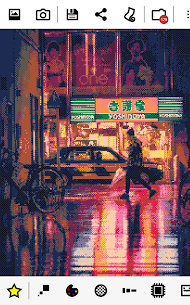
8Bit Photo Lab is a versatile mobile application designed to transform modern high-resolution photos into nostalgic, retro-style pixel art. Whether you are using images directly from your camera roll or snapping new shots, this app acts as a powerful creative suite that mimics the distinct aesthetic of 110s and 90s computing. By simplifying color palettes and reducing resolution, it bridges the gap between contemporary photography and vintage digital charm.
Effortless Retro Conversion
The application streamlines the creative process, allowing you to achieve a vintage look in seconds. You simply select a picture from your phone and scroll through a vast library of pre-defined filters. The app provides an immediate preview of the effect, so you can see exactly how your image adapts to a low-bit environment. Once you satisfy your creative vision, you can save the file or share it across social media platforms with a single click.
Powerful Features for Creative Control
8Bit Photo Lab offers more than just basic filters; it provides a comprehensive toolkit for digital artists. You can create complex pixel art, design vibrant posters, or generate unique memes using over 40 iconic color palettes. These palettes replicate the exact look of legendary hardware, including the GameBoy, NES, Commodore 64, and Apple II. For those seeking a unique touch, the app supports custom color palettes and duotone effects through color interpolation.
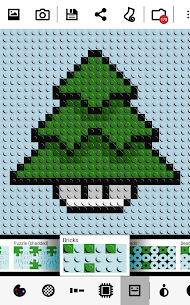
The technical depth of the app is impressive. Users can choose from 15 different dithering types—such as error diffusion and checkerboard patterns—to manage color transitions. You also have full control over the resolution, ranging from a tiny 8×8 grid to a crisp 2048×2048 output. Beyond flat pixels, you can apply unique output styles that make your photos look like fuse beads, bricks, or puzzles.
Professional Tools and Customization
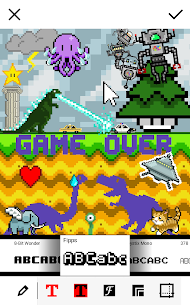
To further enhance your designs, the app includes options to add 8-bit stylized text, retro stickers, and digital glitches. The user interface facilitates a fast workflow; you can simply flick left or right to instantly apply your current settings to a different image in your gallery. For specialized creators, the app includes a grid overlay feature, which serves as a perfect blueprint for Minecraft builders, cross-stitchers, and bead artists.
Unlock the Full Potential with the PRO Version
While the standard version is robust, the PRO version elevates your editing capabilities to a professional level. Upgrading unlocks an even wider range of parameters, including exclusive fonts, borders, and advanced glitch effects. PRO users gain access to custom palettes and a broader selection of dithering methods. Most importantly, the PRO version supports lossless PNG compression and higher output resolutions up to 4096 x 4096, ensuring your retro art remains sharp and high-quality for print or large-scale digital displays.
What's new
Fixed photo orientation on Android 7.0 and above
Fixed grid rendering when output is higher than wide
Images